How to Tell If That Viral Video Is AI-Generated or Real
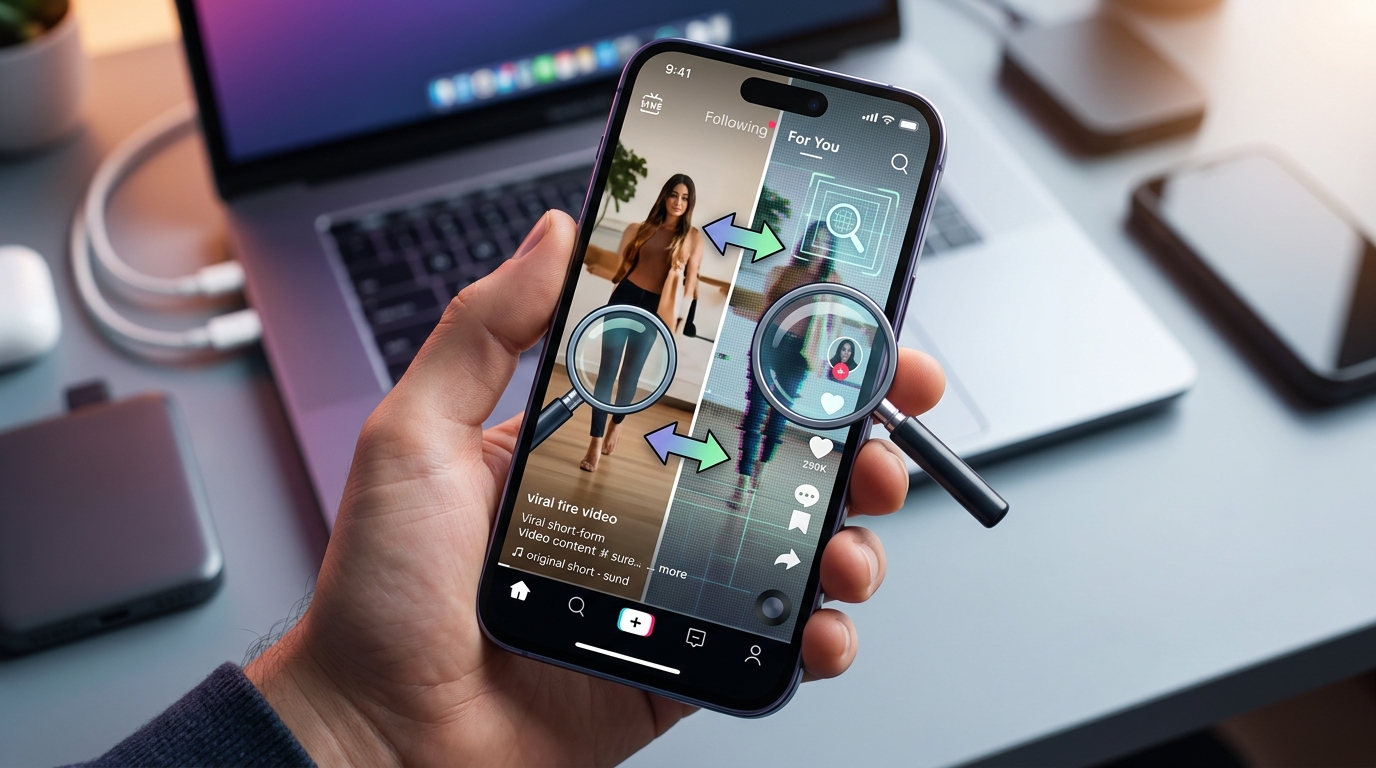
You’re scrolling through your feed and suddenly there’s a video of a celebrity doing something totally wild. Or maybe it’s footage of an event that seems too crazy to be true. Your first instinct might be to share it, but something feels off. That gut feeling? It’s worth listening to. AI generated videos are everywhere now, and they’re getting scarily good at fooling us.
AI generated videos can be identified by checking for unnatural facial movements, inconsistent lighting, weird hand gestures, audio mismatches, and background glitches. Always verify the source, pause at different frames, zoom in on details, and use reverse image search tools. When something looks too perfect or too bizarre, trust your instincts and fact check before sharing.
The red flags hiding in plain sight
Spotting fake videos isn’t about being a tech expert. It’s about knowing what to look for. AI struggles with certain human details that our brains pick up on automatically.
Start with the eyes. Real human eyes have tiny movements, reflections, and imperfections. AI generated eyes often look glassy or don’t quite track movement properly. The person might blink too much, too little, or in a weird rhythm that doesn’t match natural patterns.
Watch the mouth carefully. When someone talks, their lips, teeth, and tongue all move in coordinated ways. AI can mess this up, especially with certain sounds. You might notice the lips don’t quite sync with the audio, or the teeth look blurry when the mouth opens wide.
Hands are another dead giveaway. AI notoriously struggles with fingers. Count them. Look for extra digits, missing knuckles, or fingers that bend in impossible ways. Sometimes hands will blur or morph when they move too fast.
“The best defense against AI generated content is a healthy dose of skepticism combined with basic verification techniques. If a video makes you feel strong emotions immediately, that’s your cue to slow down and investigate.”
Your step by step verification process
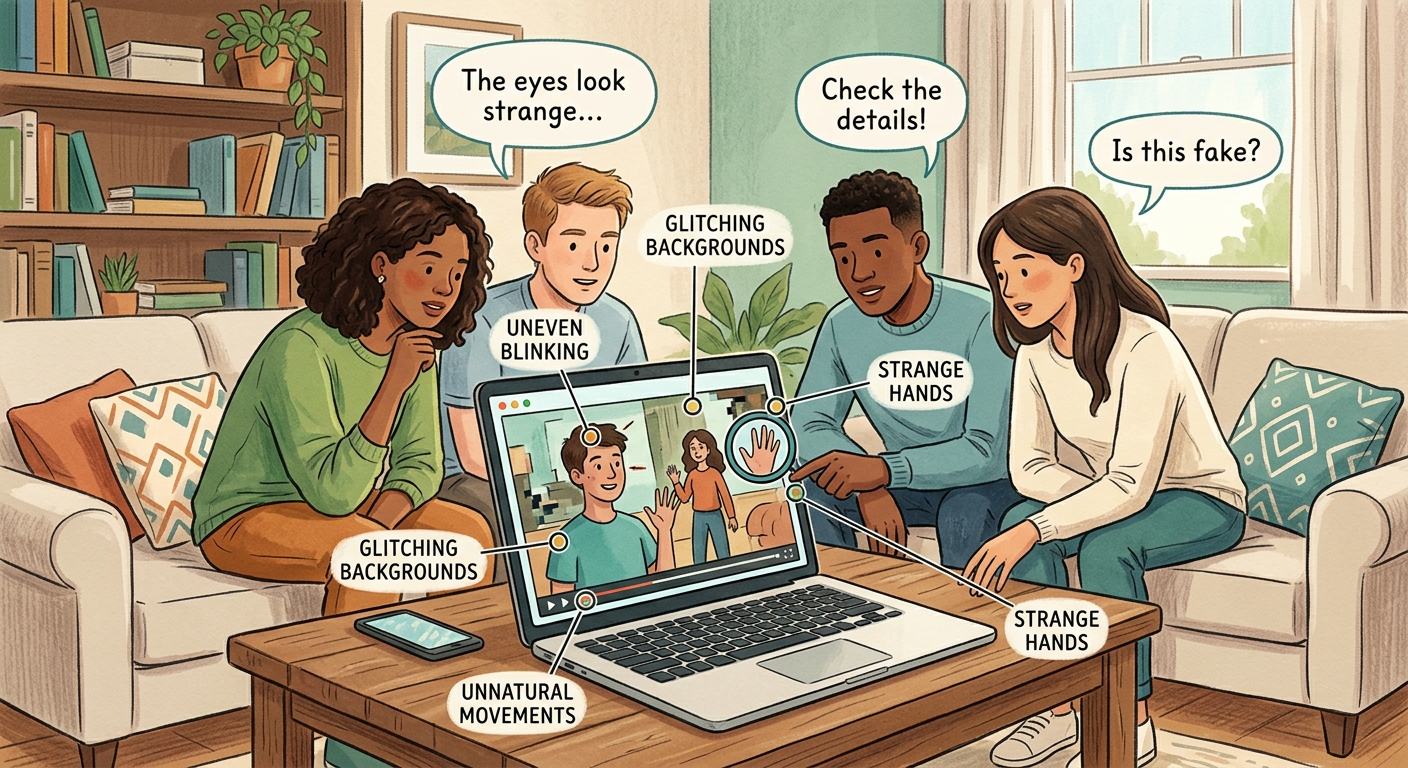
Here’s exactly how to check a suspicious video before you believe it or share it.
-
Pause and scan the entire frame. Don’t just watch it through once. Stop at different points and really look at the background, the subject, and any other people in the shot.
-
Check the source. Where did this video come from? Is it from a verified account? Does the original poster have a history of sharing reliable content? New accounts with no post history are red flags.
-
Look for consistency issues. Does the lighting make sense? Are shadows falling in the right direction? Does the person’s hair move naturally, or does it look painted on?
-
Listen to the audio separately. Close your eyes and just listen. Does the voice sound natural? Are there any robotic qualities, weird pauses, or audio that sounds too clean for the environment shown?
-
Use reverse image search. Take a screenshot and run it through Google Images or TinEye. This can help you find the original source or other versions of the same content.
-
Check fact checking sites. Places like Snopes, Reuters Fact Check, and AFP Fact Check often debunk viral videos within hours of them spreading.
The technical tells that give it away
Understanding a bit about how AI creates videos helps you spot the fakes. Here’s a breakdown of common problems and what to look for.
| Problem Area | What to Watch For | Why It Happens |
|---|---|---|
| Face morphing | Blurring around jawline and hairline | AI struggles with face boundaries |
| Lighting inconsistencies | Face lit differently than background | AI adds faces to existing footage |
| Audio sync | Lips don’t match spoken words | Voice and video generated separately |
| Background glitches | Objects that warp or disappear | AI focuses on subject, neglects background |
| Unnatural movements | Floating or jerky motions | Motion capture isn’t perfect yet |
| Repetitive patterns | Same gesture or expression loops | AI reuses successful generations |
Pay special attention to transitions. When someone turns their head or moves from one position to another, that’s when AI often glitches. The technology is great at static poses but struggles with fluid motion.
Jewelry and accessories are tricky for AI too. Watch for earrings that don’t move when the person’s head turns, or necklaces that seem to float above the skin. Glasses are particularly problematic because they involve reflections and transparency.
The context clues you shouldn’t ignore
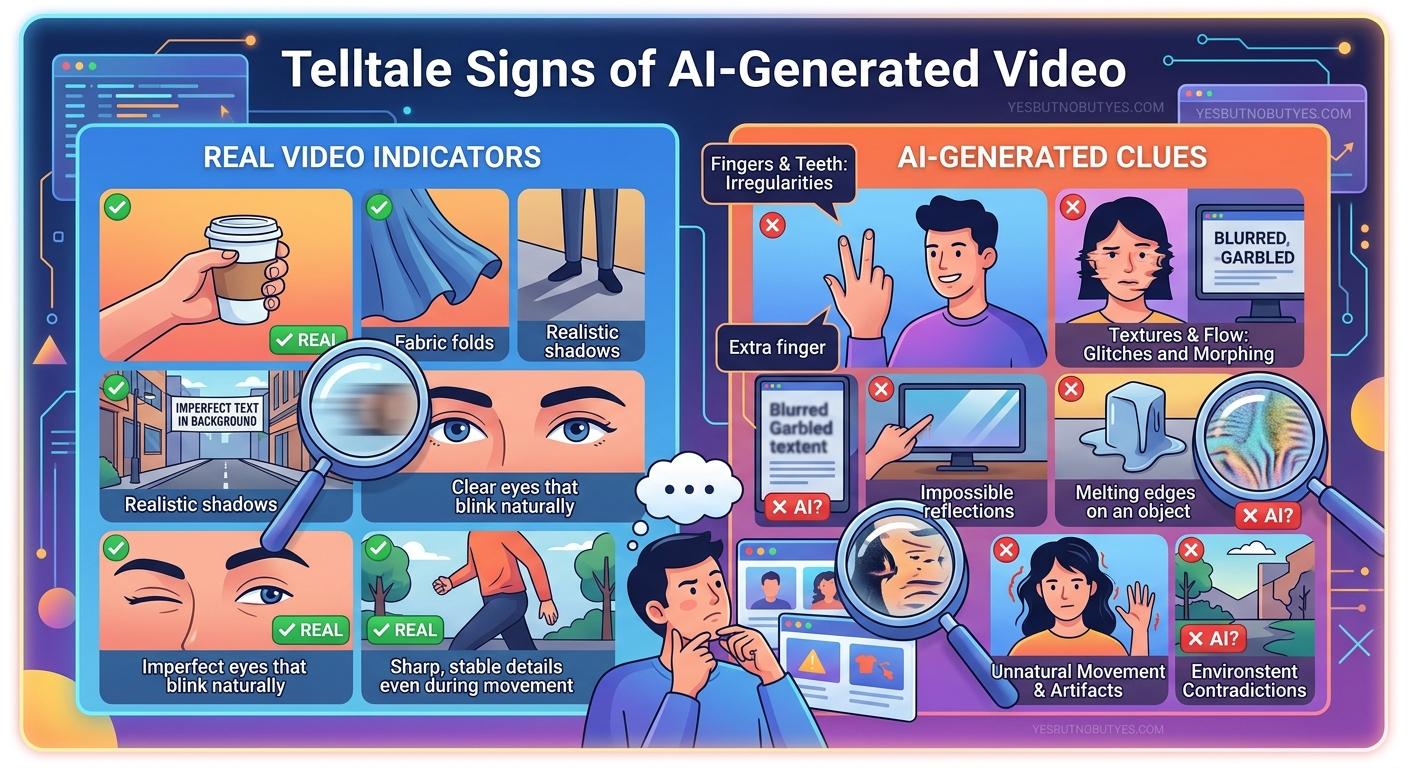
Sometimes the video itself looks perfect, but the context gives it away. Ask yourself these questions before you believe what you’re seeing.
- Does this match what you know about the person or event?
- Is the video being shared by credible news sources?
- Are other reliable accounts talking about this?
- Does the timestamp make sense?
- Is there any reason someone would want to fake this specific content?
Celebrities trying to seem relatable often leads to confusion about what’s real online. When a video shows someone acting completely out of character, that’s your signal to verify harder.
Check the metadata if you can access it. Real videos have information about when and where they were filmed. AI generated content often has missing or suspicious metadata. Some platforms strip this information, but on others it’s available.
Look at the comments. Are people pointing out specific issues? Sometimes the crowd spots problems before fact checkers do. But be careful because comment sections can also spread misinformation.
Tools that actually help
You don’t need expensive software to verify videos. Several free tools can help you figure out what’s real.
Your phone’s built in features are surprisingly useful. Slow down the playback speed. Most video players let you watch at 0.5x or 0.25x speed, making glitches more obvious. Zoom in on suspicious areas. Screenshot key frames and examine them closely.
Browser extensions like InVID and WeVerify help verify video content. They let you break videos into frames, run reverse image searches, and analyze metadata all in one place.
Some AI detection tools are becoming available, but they’re not perfect. Sites like Sensity and Deepware Scanner can analyze videos for signs of manipulation. They work better on some types of AI content than others.
The best tool is still your brain. Your phone already knows a lot about you, and AI is learning to predict what you’ll believe. Stay skeptical.
The audio investigation
Sound is just as important as visuals. AI generated audio has its own tells.
Listen for breathing. Real people breathe while they talk, and you can usually hear it between words. AI often forgets to add natural breathing sounds, making the audio seem too clean.
Background noise should be consistent. If someone is supposedly outside but there’s no wind, traffic, or ambient sound, that’s suspicious. If background noise cuts out completely when the person starts talking, the audio might be generated.
Pay attention to emotion in the voice. Does it match the facial expressions? AI can create realistic looking faces and realistic sounding voices, but syncing the emotion between them is harder. Someone might look angry while their voice sounds calm, or vice versa.
Echo and reverb should match the environment. A person in a large room should sound different from someone in a small space. AI sometimes puts perfect studio quality audio over video that shows a different environment.
When perfect is too perfect
Here’s something counterintuitive about how to spot AI generated videos. Sometimes they look too good.
Real video has imperfections. Camera shake, focus issues, compression artifacts, natural lighting variations. If a video looks like it was shot in a professional studio but claims to be spontaneous phone footage, be suspicious.
Skin texture is a big one. Real skin has pores, fine lines, and variations in tone. AI often creates skin that looks airbrushed or plastic. This is especially noticeable in close ups.
Hair is incredibly complex. Individual strands move independently, catch light differently, and have flyaways. AI generated hair often looks more like a wig or a painted texture than real hair.
Teeth are another area where perfection is suspicious. Real teeth have slight variations in color and aren’t perfectly aligned. If someone’s smile looks like a toothpaste commercial in a casual video, take a closer look.
The bigger picture matters
Don’t just look at the person. Examine everything else in the frame.
Text in the background is tough for AI. Signs, labels, or writing often have nonsense words, backwards letters, or fonts that morph mid word. This is one of the easiest ways to spot generated content.
Reflections should be consistent. If there’s a mirror, window, or shiny surface, what’s reflected should match the scene. AI frequently messes up reflections because it generates them separately from the main image.
Physics should make sense. Objects fall at normal speeds. Water flows naturally. Shadows point in logical directions based on light sources. When physics seems off, AI might be involved.
Other people in the background are worth checking. Sometimes AI focuses so much on the main subject that background people look weird, blurry, or frozen in unnatural poses.
What to do when you spot a fake
Finding a fake video is just the first step. Here’s what to do next.
Don’t share it, even to call it out. Reposting with “this is fake” still spreads the content and many people will only see the video, not your disclaimer. Instead, report it to the platform using their misinformation reporting tools.
If it’s on a topic you care about, find reliable sources covering the same subject and share those instead. Combat misinformation by amplifying accurate information.
Tell the person who shared it with you. Be kind about it. Most people share fakes accidentally, not maliciously. Send them a private message with your concerns and any evidence you found.
Document what you found if it’s a significant fake. Screenshot the video, note the source, and save any verification work you did. This can help fact checkers and researchers track how misinformation spreads.
The human element
At the end of the day, your instincts are valuable. Humans are incredibly good at recognizing other humans. We’ve evolved to pick up on tiny social cues and facial expressions.
If something feels wrong, it probably is. Maybe you can’t pinpoint exactly what’s off, but that nagging feeling is your brain processing hundreds of small details faster than you can consciously identify them.
Trust that feeling, but verify it. Use the techniques here to confirm what your gut is telling you. Sometimes videos are just poorly edited or compressed, not AI generated. Other times, your instincts will save you from spreading misinformation.
The technology will keep getting better. What’s easy to spot today might be invisible tomorrow. That’s why building good verification habits now matters. Make it automatic to pause, check, and verify before you believe or share.
Staying ahead of the fakes
The line between real and fake keeps blurring. AI generated videos will only get more convincing. But you’re not helpless.
Make verification a habit. Spend ten seconds checking before you share. Look at the source. Scan for obvious red flags. Ask yourself if the content makes sense.
Follow reliable fact checking organizations. They’re often the first to identify and explain viral fakes. When you see them debunk something, pay attention to what clues they used.
Stay informed about new AI capabilities. Understanding what’s possible helps you know what to look for. When a new AI video tool launches, people will use it to create fakes.
Teach others. Share these techniques with friends and family. The more people who know how to spot AI generated videos, the harder it becomes for fakes to spread.
Remember that viral content isn’t always what it seems. Just because millions of people shared something doesn’t make it real. Popularity and truth are different things.
Your new superpower
Learning how to spot AI generated videos gives you control in a world full of manipulation. You’re no longer at the mercy of whatever appears in your feed.
This isn’t about being paranoid or assuming everything is fake. Most content you see is real. But having the skills to verify what matters protects you and everyone you might share with.
Start small. Next time you see a video that seems too wild to be true, pause it. Look at the hands. Check the eyes. Listen to the audio. You’ll be surprised how often you spot something off.
The internet is full of amazing, real moments worth sharing. By learning to separate the authentic from the artificial, you help keep it that way. Your skepticism isn’t cynicism. It’s a service to everyone trying to figure out what’s actually happening in the world.
Now you know what to look for. Use it wisely, share it freely, and help make the internet a little more trustworthy for everyone.